Install Bridge on Squarespace
Bridge is built specifically for Squarespace websites. You can install Bridge on your Squarespace site by connecting your Squarespace account (recommended) or using manual Code Injection. Both methods are straightforward and take just a few minutes.
Method 1: Connect with Squarespace (Recommended)
The easiest way to install Bridge is by connecting your Squarespace account, which verifies your site and makes the installation process easier.
- Log in to your Bridge dashboard
- Click "Add Website" or navigate to the website management section
- Click the "Connect Squarespace Site" button
- You'll be redirected to Squarespace to authorize Bridge
- Select the Squarespace site you want to connect
- Grant Bridge the necessary permissions
- You'll be redirected back to Bridge, and your site will be automatically configured
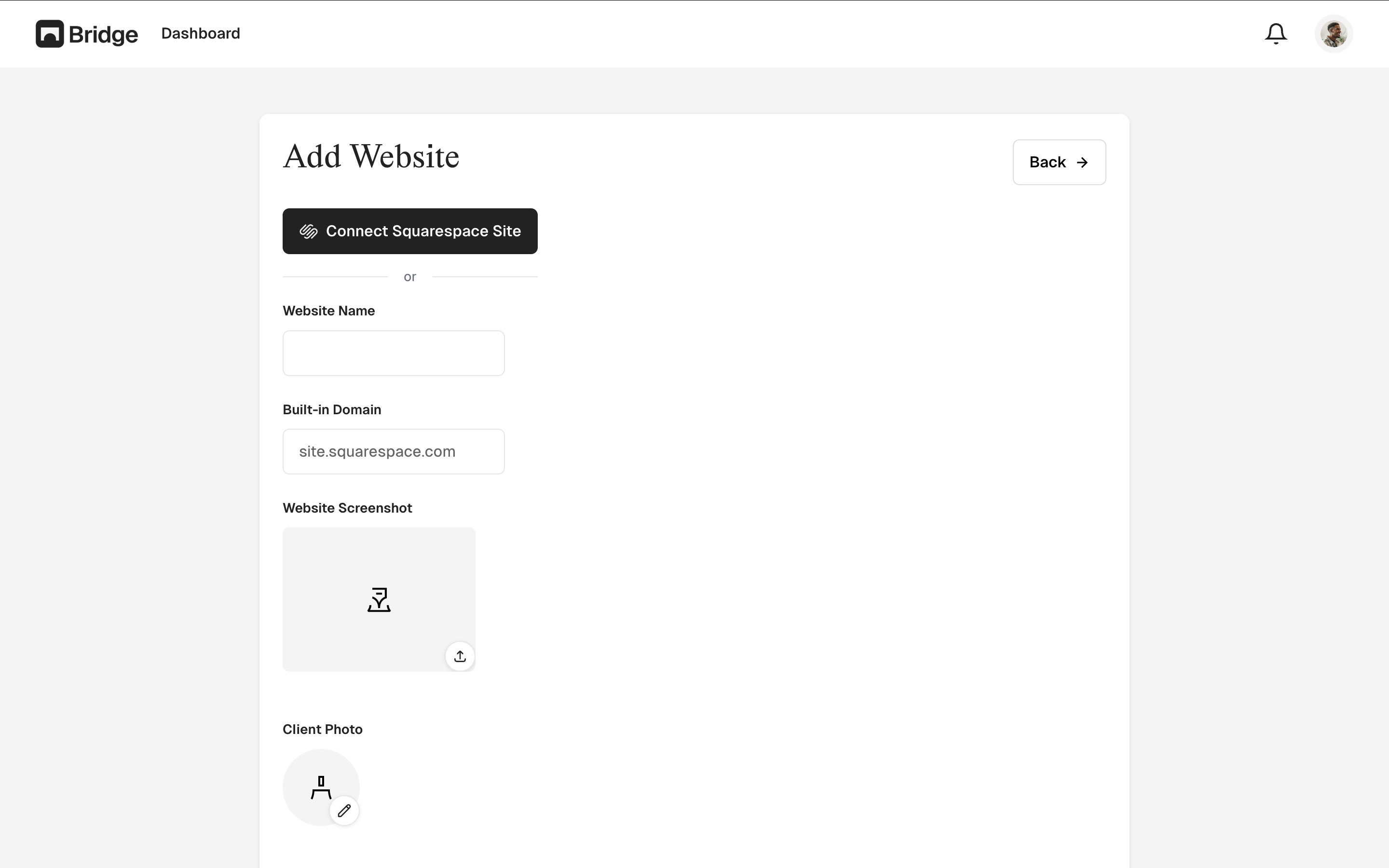
After connecting, you'll need to install the widget code manually. Copy the widget code from your Bridge dashboard (found on the website's detail page) and add it to your Squarespace site using Code Injection (Settings → Advanced → Code Injection → Header).
Method 2: Manual Code Injection
If you prefer to install Bridge manually, you can use Squarespace's Code Injection feature.
- In your Bridge dashboard, navigate to your Squarespace website's detail page
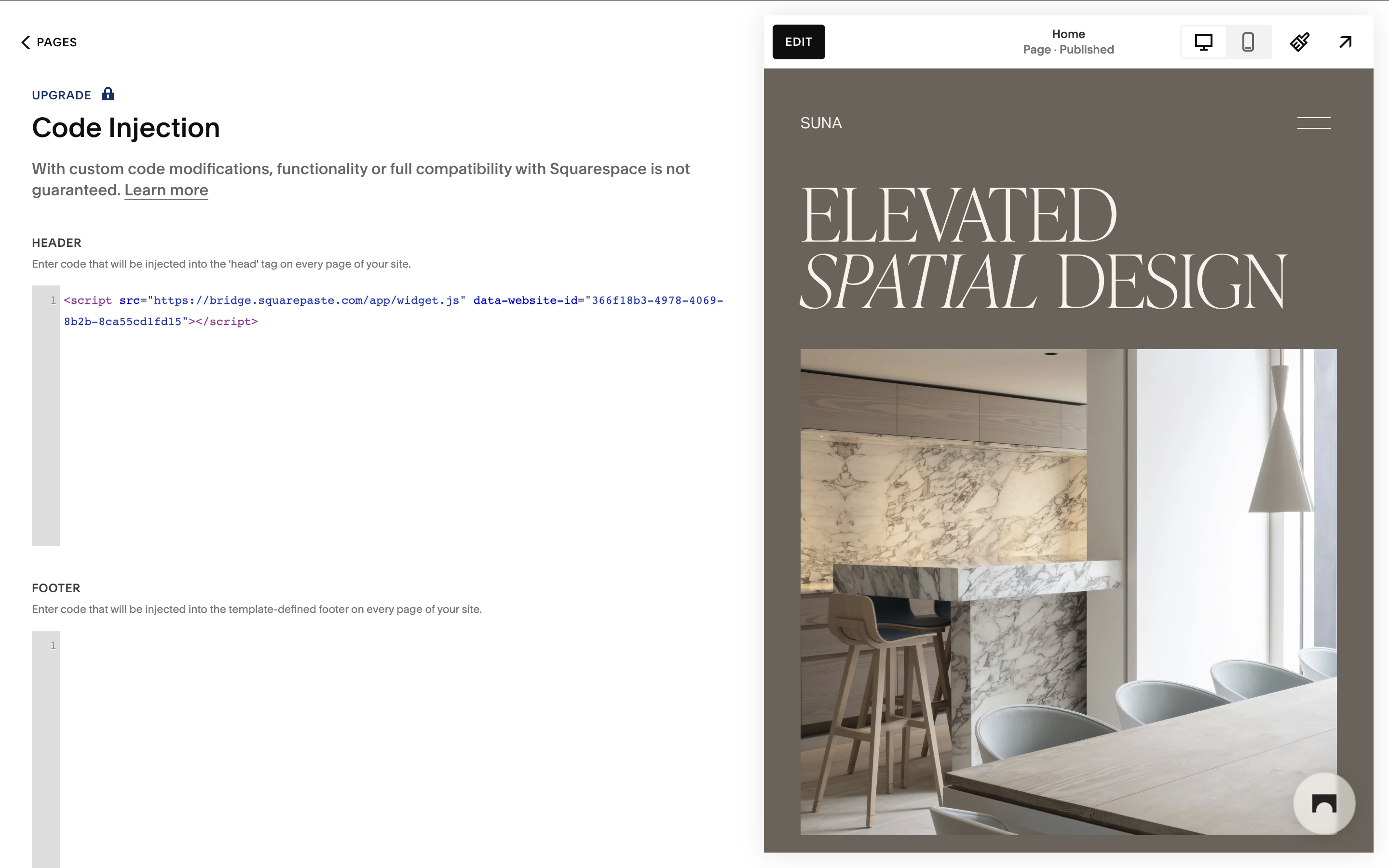
- Copy the widget code provided. It will look like this:
<script src="https://bridge.squarepaste.com/app/widget.js" data-website-id="your-id"></script>
- In Squarespace, go to Settings → Advanced → Code Injection
- Paste the widget code into the Header section
- Click Save
- Refresh your Squarespace site to see the Bridge widget
Verifying Installation
After installation, you should see the Bridge chat widget appear in the bottom-right corner of your Squarespace site. If you don't see it:
- Wait a few moments for the widget to load (it loads asynchronously)
- Clear your browser cache and refresh the page
- Check that the widget code was added correctly in Code Injection (if using manual method)
- Verify your Squarespace website is active in the Bridge dashboard
- Try viewing your site in an incognito/private browser window
Tip: Connecting with Squarespace is recommended because it verifies your site and makes management easier. You'll still need to install the widget code manually via Code Injection. If you encounter any issues, try disconnecting and reconnecting your Squarespace site.