Send your first message
Once you've added the Bridge widget code to the Squarespace site, you can start a conversation with your client from your Bridge dashboard or directly from the widget on the Squarespace site. Your client can then easily respond through the widget on the Squarespace site.
Starting a Conversation from Your Dashboard
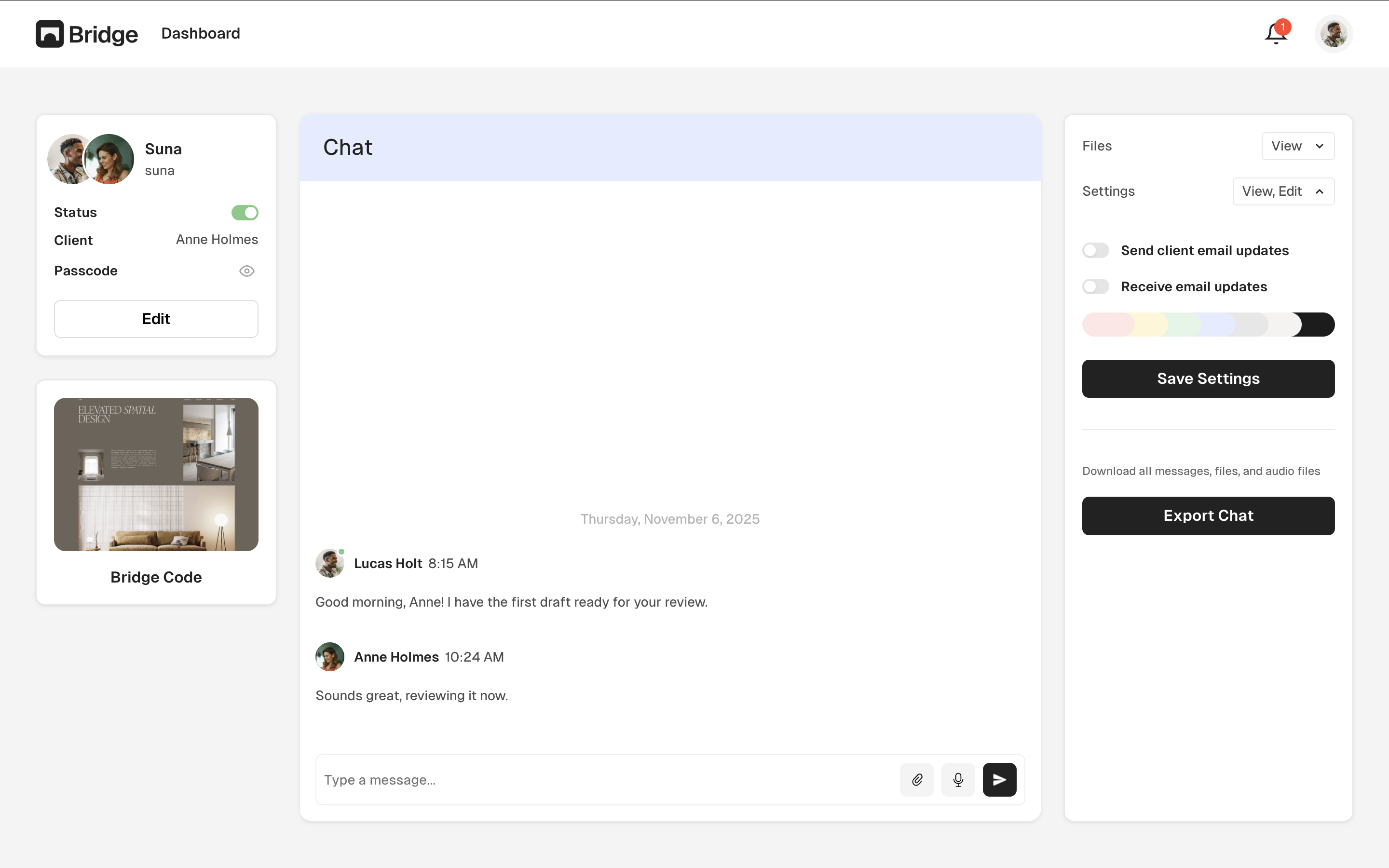
To send your first message to a client from your Bridge dashboard:
- Make sure you've added the Bridge widget code to the Squarespace site's Header Code Injection
- Log in to your Bridge dashboard
- Click on the Squarespace website where you want to start the conversation
- You'll see the conversation view for that website
- Type your message in the message input field
- Click "Send" or press Enter
- Your message will appear in real-time in the widget on the Squarespace site
Starting a Conversation from on Squarespace
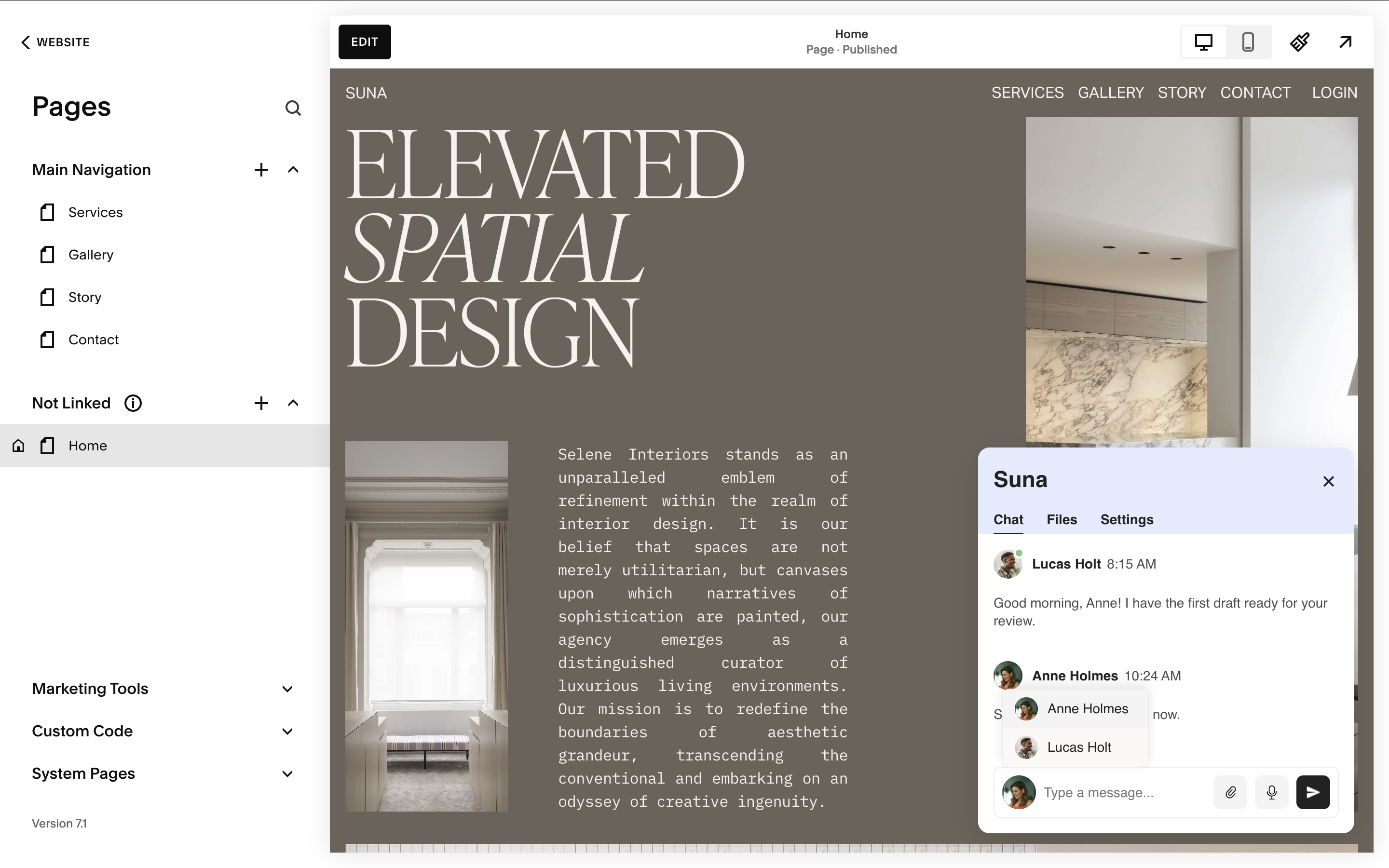
You can also send messages directly from the widget on the Squarespace site:
- Visit the Squarespace site where you've installed the Bridge widget
- Click on the Bridge chat widget to open it
- Click on the profile photo in the chat message area to switch between message senders
- Select yourself as the sender
- Type your message and send it
- Your message will appear in both the widget and your Bridge dashboard
Client Responses
When your client visits your Squarespace site:
- They'll see the Bridge chat widget on the Squarespace site
- They can click on the widget to open the chat interface
- They can type a message and send it directly from the Squarespace site
- You'll see their message in your Bridge dashboard
- You can reply from your dashboard, and they'll see your response in the widget on the Squarespace site
Real-Time Messaging
Bridge uses real-time messaging, which means:
- Messages appear instantly for both you and your clients
- You can see when clients are typing (typing indicators)
- Conversations update automatically without refreshing the page
- Messages sync in real-time between your dashboard and the widget on the Squarespace site
File Sharing
You can also share files through Bridge:
- Clients can attach files when sending messages through the widget
- You can send files to clients from your dashboard
- All shared files are stored securely and accessible in the conversation thread
Tip: Once you've added the widget code to the Squarespace site, you can start conversations from your dashboard and your clients can respond directly through the widget on the Squarespace site. Enable email notifications in your settings to get notified when clients send messages.